VPN for Router UK
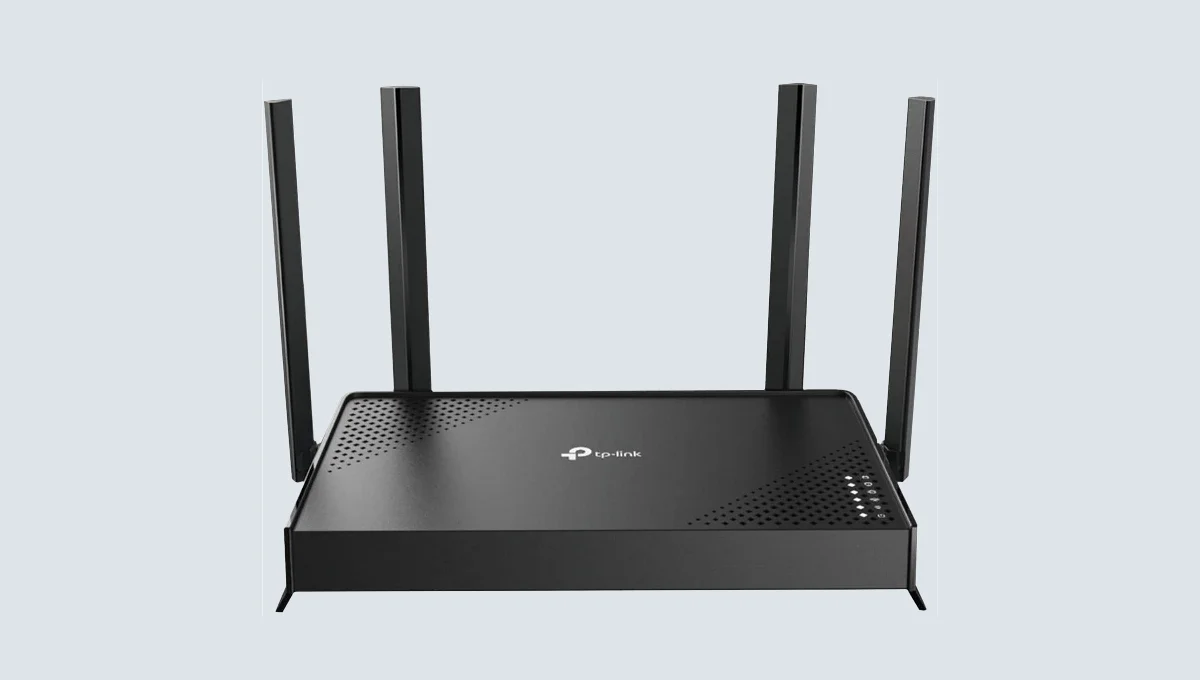
Your smart TV cannot run a VPN app. Neither can your games console, your Sky Q box, or most of the IoT devices connected to your home network. A VPN installed on a single laptop protects that laptop and nothing else — every other device in your house remains exposed, unencrypted, and locked to whatever content your UK ISP allows through.
Want to skip the research?
To find a provider that works right out of the box for your exact setup, take the 30-Second VPN Leaderboard Quiz below.
A VPN router solves this in one step. Install the VPN at the router level and every device connecting to your home WiFi — phones, laptops, smart TVs, consoles, and streaming sticks — is automatically protected and routed through the encrypted tunnel, with no individual app installation required. This guide covers the three router setup approaches available in the UK in 2026, the realistic costs, and which option fits your technical comfort level and budget.
⚡ Quick Facts
What is the Best VPN Router for UK Users in 2026? For most UK households, ExpressVPN’s Aircove router is the simplest plug-and-play option — it ships pre-configured with no flashing required, though it counts as one of your 8 device slots. For users who want maximum control and the fastest WireGuard speeds, a pre-flashed FlashRouters device running NordVPN, Surfshark, or Proton VPN offers more flexibility. Budget-conscious users can buy a standard router with native OpenVPN or WireGuard support (Asus and GL.iNet models are common choices) and configure it themselves for free, paying only for the VPN subscription. Pre-configured plug-and-play routers in the UK typically cost £130–£250 for the hardware, separate from the VPN subscription itself. For the full VPN pricing landscape, see our VPN Price Comparison Guide.
Why UK Households Specifically Benefit From a VPN Router
A VPN router solves problems that are particularly common in UK home networks:
- ISP-supplied routers from Virgin Media, BT, Sky, and TalkTalk rarely support VPN configuration natively. These routers are locked down for stability and support reasons, meaning a second VPN-capable router is usually required alongside your existing modem-router rather than as a replacement.
- Smart TVs and streaming devices cannot run VPN apps. Sky Q, Sky Glass, most smart TVs, and older streaming sticks have no VPN client support. A router-level VPN is the only way to protect or geo-shift these devices.
- Expats and travellers need a stable UK IP for BBC iPlayer, ITVX, All 4, and Sky Go. A UK-located VPN router gives every connected device a consistent UK residential or server IP without reconnecting individually on each device.
- Large or multi-device households exceed standard subscription device limits. A router counts as a single connection on most VPN plans, meaning unlimited devices behind it consume just one slot rather than each device requiring its own login.
Three Ways to Get a VPN on Your Router
There are three distinct approaches, ranked from easiest to most technical:
1. Pre-Configured Plug-and-Play Routers
A router that arrives with the VPN already installed and configured. You plug it in, activate your subscription, and every device connecting to its WiFi is protected immediately — no manual setup, no flashing firmware, no configuration files. This is the correct choice for anyone who wants the simplicity of a VPN app but needs whole-home coverage.
ExpressVPN’s Aircove is the most well-known example — a WiFi 6 router built in-house by ExpressVPN with the VPN pre-installed at the factory. There is no flashing or third-party configuration involved at all. FlashRouters is the other major name in this space, offering pre-flashed routers optimised for NordVPN, Surfshark, and other major providers, with ongoing technical support included.
UK-specific providers such as TadaVPN and similar services also sell pre-configured routers aimed specifically at UK streaming access and expats wanting a stable UK IP abroad — these are typically simpler single-purpose devices rather than full home networking routers.
2. VPN-Ready Routers (Native Support, No Flashing)
A standard router that has VPN client support built into its native firmware — you configure it yourself using your VPN provider’s connection details, but no custom firmware installation is required. This is the middle ground: more setup effort than plug-and-play, but significantly cheaper and more flexible, since you are not locked to a single VPN provider.
The protocol your router supports matters significantly here. Most leading providers — NordVPN, Surfshark, and Proton VPN — perform best on WireGuard or WireGuard-based protocols like NordLynx. A router that only supports OpenVPN natively will work with virtually any VPN provider, but at noticeably lower speeds than a WireGuard-capable device. Asus routers are a common recommendation in the UK market because most models include a built-in OpenVPN client requiring minimal configuration effort.
3. Custom Firmware Routers (DD-WRT, Tomato, OpenWRT)
Flashing third-party firmware onto a compatible router unlocks VPN client functionality on hardware that did not originally support it. DD-WRT is the most common firmware for this purpose and supports OpenVPN configuration. This is the most technical and most flexible option — it gives you full control over routing rules, selective device tunneling, and protocol choice, but carries real risk: flashing incorrectly can permanently disable (“brick”) the router, and the process voids the manufacturer’s warranty.
This route is only recommended for users genuinely comfortable with router configuration. For everyone else, a pre-flashed router from FlashRouters achieves the same outcome without the bricking risk.
Comparison: Which Approach Fits You
| Approach | Technical Skill Required | Typical UK Cost | Provider Flexibility | Setup Time |
|---|---|---|---|---|
| Pre-configured plug-and-play | None | £130–£250 + VPN subscription | ❌ Locked to one provider | 5–10 minutes |
| VPN-ready (native support) | Low–moderate | £80–£200 (router only) | ✅ Most major providers | 20–45 minutes |
| Custom firmware (DD-WRT) | High | £40–£150 (compatible router) | ✅ Full flexibility | 1–3 hours, warranty risk |
Best VPN Providers for UK Router Use
Not every VPN provider performs equally well on router hardware, where processing power is more limited than on a phone or laptop. The protocol and provider you choose directly affects router-level throughput.
ExpressVPN — Best for Plug-and-Play Simplicity
The only major provider with its own purpose-built router line (Aircove) and a dedicated router management app. For UK users who want zero configuration and a single trusted brand handling both the VPN and the hardware, this is the simplest path available. The trade-off: Aircove counts as one of your 8 simultaneous device connections, leaving fewer slots for mobile devices used outside the home.
NordVPN — Best for Speed on VPN-Ready Routers
No dedicated router app, but NordLynx (NordVPN’s WireGuard-based protocol) delivers the strongest router-level throughput of any major provider when configured on a WireGuard-capable device. Setup requires manual OpenVPN or WireGuard configuration using NordVPN’s published setup guides — more effort than Aircove, but materially faster once configured. For full speed benchmark data, see our VPN Price Comparison Guide and our Best VPN 2026 Guide.
Surfshark — Best for Unlimited Device Households
Because Surfshark allows unlimited simultaneous device connections, running it on a router does not consume a fixed device slot the way ExpressVPN or NordVPN do. For larger UK households with many smart home devices, consoles, and family members’ phones all needing protection, this removes the device-counting constraint entirely. See our Best Cheap VPN Guide for the full value comparison.
Proton VPN — Best for Privacy-Focused Router Setups
Supports port forwarding, which is useful if your router setup includes self-hosted services or torrent clients running behind the VPN tunnel. Swiss jurisdiction adds a privacy advantage for users routing their entire home network through a single provider. See our VPN Port Forwarding Guide for configuration details relevant to router-level setups.
🔍 Not Sure Which VPN to Run on Your Router?
The right provider for router use depends on your device count, technical comfort, and whether speed or simplicity matters more. Use our interactive VPN Selection Tool to match your specific requirements against a verified provider database.
Setting Up a VPN Router With a UK ISP: What to Know
Most UK households use a modem-router combo supplied by Virgin Media, BT, Sky, or TalkTalk. These devices generally cannot run third-party VPN firmware and rarely support manual VPN client configuration. The standard solution is a dual-router setup:
- Keep your ISP router as the internet connection point. It continues handling your broadband connection from Virgin Media, BT, Sky, or TalkTalk as normal.
- Set your ISP router to modem/bridge mode if possible. This disables its WiFi and routing functions, passing the raw internet connection through to your VPN router. Not all ISP routers support this — check your provider’s settings menu or contact support.
- Connect your VPN router to the ISP router via Ethernet cable. The VPN router then becomes your home’s primary WiFi network, with all device traffic routed through the VPN tunnel before reaching the internet.
- Connect all devices to the VPN router’s WiFi network rather than the ISP router’s network. Any device still connected to the ISP router’s WiFi will bypass the VPN entirely.
If your ISP router does not support bridge mode, the VPN router can usually still be connected as a secondary network — devices connect to the VPN router’s WiFi specifically when protection is needed, while the ISP router’s WiFi remains available unprotected for devices that do not require it.
UK Streaming and Geo-Access Use Cases
A significant share of UK VPN router demand comes from two specific groups, each with different needs:
- UK expats abroad wanting access to BBC iPlayer, ITVX, All 4, and Sky Go: A VPN router configured with a UK server location gives every device on the network a consistent UK IP address, avoiding the need to reconnect a VPN app individually on a phone, tablet, smart TV, and laptop separately. Several UK-specific providers sell pre-configured routers paired with a 4G dongle and local SIM specifically for this use case — useful when a fixed-line broadband connection is unavailable. For full platform-by-platform UK streaming unblocking results, see our Best VPN for Netflix Guide.
- UK residents wanting to access content from other regions: The same router setup works in reverse — connecting to a US, European, or Asian server location to access geo-restricted content not available on UK platforms.
A genuinely important distinction: using a VPN to access content you are legitimately entitled to (a UK licence-fee payer accessing BBC iPlayer while travelling) sits in a different category from accessing content you have no rights to. Streaming platforms enforce geo-restrictions through their Terms of Service, not criminal law — for a full breakdown of the legal distinction, see our Is Using a VPN Legal? guide.
Gaming and Smart Home Devices Behind a VPN Router
Consoles, smart home devices, and IoT hardware are the primary beneficiaries of router-level VPN coverage, since most of this category cannot run a VPN app individually. A few practical considerations specific to UK households:
- Gaming consoles: Running a PS5 or Xbox behind a VPN router masks your IP for DDoS protection and can bypass regional content restrictions. The added latency overhead depends entirely on the router’s processing power and the VPN protocol used — a low-powered router running OpenVPN will add noticeably more latency than a capable device running WireGuard. For full gaming-specific VPN performance data, see our Best Gaming VPN Guide.
- Smart TVs and streaming sticks: The most common reason UK households install a VPN router in the first place. Sky Q, older smart TVs, and most streaming sticks have no VPN app support whatsoever — router-level protection is the only option.
- Selective routing: Most VPN-ready and custom firmware routers support policy-based routing, letting you choose which devices route through the VPN tunnel and which bypass it entirely. This is useful for keeping bandwidth-heavy local devices like a NAS or smart home hub outside the VPN tunnel for maximum local network speed, while routing streaming and gaming devices through it.
Frequently Asked Questions
How much does a VPN router cost in the UK?
Pre-configured plug-and-play routers typically cost £130–£250 for the hardware itself, separate from your VPN subscription. VPN-ready routers with native OpenVPN or WireGuard support range from £80–£200 depending on processing power and WiFi standard. Custom firmware-compatible routers can be found from £40–£150, though flashing carries a warranty and bricking risk. Some UK providers offer monthly router rental packages around £15/month that bundle the hardware and VPN service together. For the underlying VPN subscription costs across 21 providers, see our VPN Price Comparison Guide.
Will a VPN router slow down my internet?
Some speed reduction is unavoidable due to encryption processing overhead, but the extent depends heavily on the router’s processing power and the VPN protocol used. A capable router running WireGuard or NordLynx retains the large majority of base connection speed. A low-powered router running OpenVPN can reduce speeds substantially, sometimes by 50% or more, because OpenVPN is more processor-intensive to decrypt in real time. For UK households on standard fibre broadband (100–500 Mbps), a quality WireGuard-capable router is unlikely to create a noticeable bottleneck for everyday browsing and streaming.
Can I use my existing UK ISP router with a VPN?
Generally no — routers supplied by Virgin Media, BT, Sky, and TalkTalk are locked down and do not support VPN client configuration or custom firmware. The standard solution is to keep your ISP router for the internet connection (ideally set to bridge mode) and add a second VPN-capable router behind it, which then becomes your home’s primary WiFi network.
Do I need a VPN subscription separately from the router?
It depends on the router type. Pre-configured plug-and-play routers from providers like ExpressVPN’s Aircove typically come bundled with or require an active VPN subscription from that specific provider. VPN-ready and custom firmware routers require you to bring your own existing VPN subscription and enter the connection details manually — the router itself does not include VPN service. Always check whether the hardware price includes a subscription period or is hardware-only before purchasing.
Is it legal to use a VPN router in the UK?
Yes — using a VPN, including at the router level, is completely legal in the UK. There are no restrictions on VPN use for personal privacy, security, or accessing geo-restricted content you are entitled to. The same legal principles that apply to VPN apps apply equally to router-level VPN use: a VPN does not make an otherwise illegal activity legal, and accessing content outside your region typically violates a platform’s Terms of Service rather than UK law. For a full breakdown, see our Is Using a VPN Legal? guide.
How many devices can connect to a VPN router?
Unlike app-based VPN connections, which are typically capped at a specific number of simultaneous devices per subscription (commonly 5–10), a VPN router itself usually counts as a single connection regardless of how many individual devices connect to its WiFi network. This means a household with 15–20 connected devices — phones, laptops, smart TVs, consoles, and IoT devices — can all be protected through one router using a single device slot on most provider plans. The practical limit becomes the router’s own hardware capacity rather than the VPN subscription’s device count.